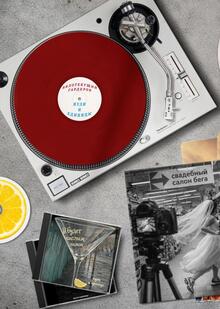
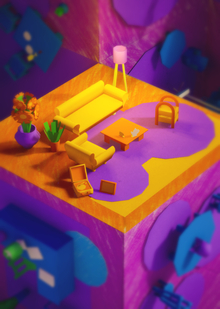
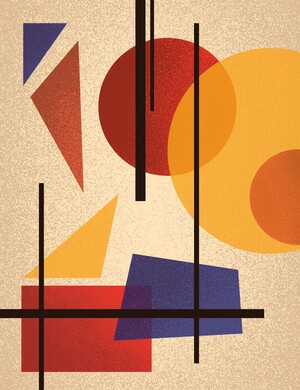
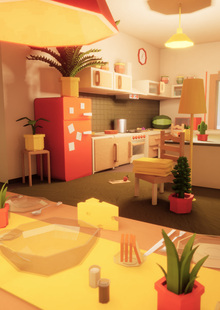
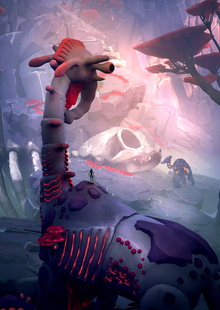
Автор создала альбомы вымышленной группы «Нули и Единицы», в которых используются каламбуры в названиях песен и кустарные обложки. Проект включает в себя обработку фотографий с помощью ИИ и визуальные элементы, вдохновлённые обложками известных исполнителей.
Софья Иванова создала проект «Трио квантового калейдоскопа», в котором исследует связь между светом, звуком и ритмом через призму квантовой физики. Проект включает в себя серию текстов, где свет представлен как универсальный символ единства, а звук и ритм — как отражение циклических процессов в природе.
Ирина Шевцова создала проект «Среда обитания» в формате визуального исследования, используя спутниковые снимки для анализа пространств, где сосредоточена жизнь человека. Проект использует искусственный интеллект для генерации гипотетических сценариев, выявляющих скрытые визуальные ритмы в человеческой среде.
Татьяна Федорова создала проект «Внутренний контур», в котором исследует связь между памятью и городским пространством через нейросеть. Проект включает в себя серию изображений, сгенерированных на основе личного архива и промптов, создающих иллюзию родного дома в мегаполисе.
game.deziiign
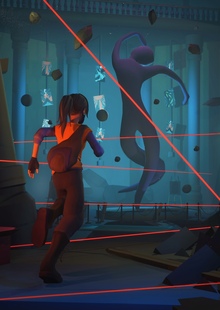
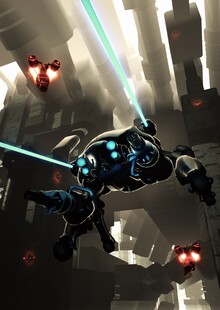
Платформа для тех, кто играет в игры и тех, кто игры создает. Здесь можно опробовать новые идеи, найти художника или гейм-дизайнера для собственного проекта, и узнать об играх что-то новое и неожиданное.
Press space bar to start a drag.
When dragging you can use the arrow keys to move the item around and escape to cancel.
Some screen readers may require you to be in focus mode or to use your pass through key
Press space bar to start a drag.
When dragging you can use the arrow keys to move the item around and escape to cancel.
Some screen readers may require you to be in focus mode or to use your pass through key
Press space bar to start a drag.
When dragging you can use the arrow keys to move the item around and escape to cancel.
Some screen readers may require you to be in focus mode or to use your pass through key
Press space bar to start a drag.
When dragging you can use the arrow keys to move the item around and escape to cancel.
Some screen readers may require you to be in focus mode or to use your pass through key
Press space bar to start a drag.
When dragging you can use the arrow keys to move the item around and escape to cancel.
Some screen readers may require you to be in focus mode or to use your pass through key
Press space bar to start a drag.
When dragging you can use the arrow keys to move the item around and escape to cancel.
Some screen readers may require you to be in focus mode or to use your pass through key
Press space bar to start a drag.
When dragging you can use the arrow keys to move the item around and escape to cancel.
Some screen readers may require you to be in focus mode or to use your pass through key
Press space bar to start a drag.
When dragging you can use the arrow keys to move the item around and escape to cancel.
Some screen readers may require you to be in focus mode or to use your pass through key
Press space bar to start a drag.
When dragging you can use the arrow keys to move the item around and escape to cancel.
Some screen readers may require you to be in focus mode or to use your pass through key
Press space bar to start a drag.
When dragging you can use the arrow keys to move the item around and escape to cancel.
Some screen readers may require you to be in focus mode or to use your pass through key
Press space bar to start a drag.
When dragging you can use the arrow keys to move the item around and escape to cancel.
Some screen readers may require you to be in focus mode or to use your pass through key
Press space bar to start a drag.
When dragging you can use the arrow keys to move the item around and escape to cancel.
Some screen readers may require you to be in focus mode or to use your pass through key
Press space bar to start a drag.
When dragging you can use the arrow keys to move the item around and escape to cancel.
Some screen readers may require you to be in focus mode or to use your pass through key
Press space bar to start a drag.
When dragging you can use the arrow keys to move the item around and escape to cancel.
Some screen readers may require you to be in focus mode or to use your pass through key